Pictures & matching
My First Memory Game
Turn over two cards. A fox, a fish, a little friend… can you find the matching picture?
Play now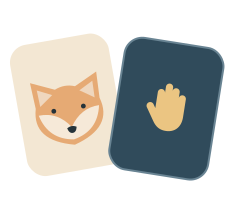
How to play
- In Memory mode, take a little look before the cards turn over, or tap a card to begin.
- Tap two cards to find matching pictures. In Face-up pairs, the pictures stay visible.
- Matching pictures stay face up. Find all the pairs, then play again.
Playing with a keyboard? Use the arrow keys to choose a card, then press Enter or Space to turn it over. Choose a second card the same way to look for its match.
A gentle picture matching game
Each round contains two of each picture. Different pictures stay visible for a moment. Tap any card to continue sooner, or take your time and let them turn back over. There is no timer or penalty. Look together, remember a favorite picture, and take turns choosing cards.
Make it right for your child
On your first visit, the game starts with three pairs and a short preview. The parent panel lets you choose two, three or four pairs, Memory or Face-up pairs, and a collection of animals or little things. Changing the level, play style or collection starts a fresh board.
For a smaller board, try two pairs with “Show cards first” switched on. Choose Face-up pairs to find matching pictures without needing to remember where they hide. Let your child name or point to a favorite picture during the preview, then look for it together.
When your child wants more to remember, try four pairs or switch off “Show cards first” so the next round begins with the pictures hidden. You can change one setting at a time and see what feels right. If idle hints are on, a gentle pointer can help recall a matching picture that has already been seen; it never turns over or matches a card for your child.
During play, click or touch and hold “Parents” for two seconds, or type parent. You can also change the sound, background and motion.