
Animals & listening
Animal Sounds
Moo, baa, quack. Meet the farm animals, then discover three friends from around home. Six real calls, one little group at a time.
Play now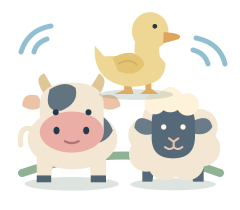
How to play
- Touch or click an animal to hear its call and see its little hello.
- Visit the animals in any order. Touch a favorite again whenever you like. A little “Moo!”, “Baa!” or “Quack!” stays beside the friend saying hello.
- For a listening game, hold “Parents” for two seconds, then choose “Listen · 2 animals” or “Listen · 3 animals” under Mode. Tap the speaker, then choose the animal you heard.
Playing with a keyboard? Use 1, 2 or 3 to choose the animals from left to right. The arrow keys move between them; Enter or Space activates the focused button. When no button has focus, Space plays the listening prompt again.
A little hello, at their own pace
Exploration has no finish line. Each animal joins the little collection after a visit. The optional listening game has six turns: each of the three animals in your group calls twice, with no timer or lost turns. The speaker repeats the same call as often as your child wants. A new recording that cannot load offers a way to try again; the game never asks for a guess before it can play. A different answer gets a calm invitation to listen again.
With sound off or unavailable, the pictures still respond. The listening game waits until sound is turned on; it does not ask your child to guess an unheard call.
Make it right for your child
A first visit starts in Explore. Listen together, imitate a favorite animal or simply let your child touch the pictures. Listening modes are optional and your choice is remembered for next time. Under Animals in Parents, choose Farm (cow, sheep, duck) or Around home (cat, dog, bird). Changing the group starts a fresh round. The group stays selected during this visit; a new page opens on the farm.
Start with your device volume low. The recordings are short and play one at a time. A new animal replaces the previous call. Sounds stop when the game is paused, the page moves into the background or sound is switched off.
During play, hold “Parents” for two seconds, or type parent. You can change the animal group, mode, sound, background and motion, or switch off the visual hint. Changing the mode starts a fresh game. Hold “End” for two seconds to see the animals you have visited.
Ages are a guide. A child who cannot hear the calls can enjoy the visual exploration, or try Shape Box for a game based on pictures. There is no need to turn a little moment of play into a test.
The sounds behind the animals
Real recordings shared under CC0: Cow moo #3 by spurioustransients, Sheep baaing 1 by Michael Perfect and Duck Quack by gibarroule. The Around home recordings are cat meow by tuberatanka, Single Dog Bark by kwahmah_02 and bird chirps short by FartMuffin, also CC0. We shortened the farm recordings and adjusted the levels for this game. The new calls retain their full duration. All six audio files are served directly by TinyFingers.
Another little discovery
All games →
Peekaboo House
A little window. A friendly hello.
Explore the game
My First Xylophone
Eight notes. A little tune of their own.
Explore the game
Shadow Match
A little shadow. A familiar friend.
Explore the game