
Drawing & discovery
Scribumi
Your drawing comes to life. Even a dot becomes a little friend you can play with.
Create my doodle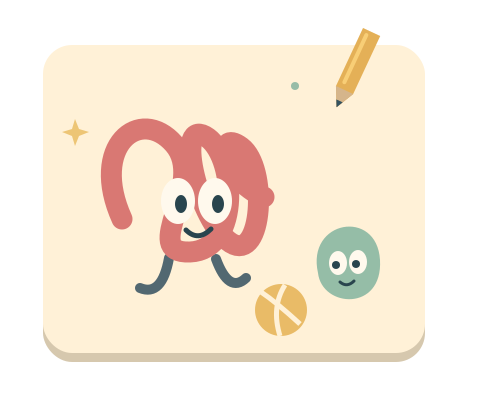
Yours begins with a blank page.
How to play
- Make a mark with a finger or mouse. Even a dot can become a friend. Pick a color, open the brush for three widths or your own color, and use the eraser to try something else.
- Touch the two eyes to wake your drawing. Tap it for a hello or tap the paper to lead it over. Drag your drawing or the musical ball with your finger or mouse. Let the ball drop, try peekaboo or dance to a little tune.
- Draw it a friend. Take turns on the same device, then let your two doodles meet. The pencil brings you back to drawing whenever you like.
Try it together: let your child make the first mark, then draw its friend and see how the two greet each other.
Every mark belongs.
The character is your child's actual drawing, with eyes and little feet. It is never replaced by a different picture. There is no score, timer or shape to get right. Movement can stay gentle, and everything works with sound off.
Playing with a keyboard? Arrow keys move the brush; Enter or Space makes a dot. Use 1–5 for colors, E for the eraser and W to wake the drawing. Once awake, arrows move your doodle and Enter or Space greets it. You can Tab to every play button.
A little animation to share.
Hold “End” for two seconds to open the parent view. Make a six-second animation: a short replay of your marks, then the moment your doodles wake up and play. Choose a little message for someone you love, or keep the simple hello. GIF is selected first; video is also available.
Add an optional first name for a “Drawn by” credit, then preview, download or share the file. The name appears only in the animation you choose to share. It is not saved in the notebook or sent to TinyFingers. A still PNG picture remains a separate option.
Meet again, on this device.
In Parents, open Save your drawings to keep a favorite in the sketchbook and bring it back another day. Saving is your choice; nothing is uploaded and there is no account. The sketchbook belongs to this browser on this device. Clearing browser data removes it, so download any keepsake you want to keep elsewhere.
Hold “Parents” for two seconds, or type parent, to find the notebook, undo recent marks or start a new sheet. The drawing stays when you pause or turn the screen. Leaving or reloading clears the open drawing unless you saved it first.
Ages are a guide: stay nearby, explore together and take breaks.
Another little discovery
All games →
Mirror Drawing
One little mark. Two little wonders.
Explore the game
Fluffy Salon
A fluffy friend. A look of your own.
Explore the game
Teddy Banquet
Little recipes. Big teddy smiles.
Explore the game